

For individual developers deeply engaged in mobile app development, expanding globally is key to growing your user base. As the world’s largest Android app distribution platform, Google Play stands as the core gateway for overseas expansion. However, many developers face challenges like account association issues or rejection during review due to unfamiliarity with policies and inadequate preparation when setting up a Google Play account and submitting apps. Aligned with Google Play’s latest 2026 policies, this guide outlines the full process for individual developers—from account registration to app listing—covering essential documents, the $25 registration fee payment, operational details, compliance requirements, and common pitfalls. It aims to help you efficiently set up your account and successfully publish your app.
I. Pre-Launch Preparation: Avoid Account Association and Policy Risks
The fundamental prerequisite for individual developers to access Google Play is having a Google account, which requires “environment and document isolation” during registration. Google enforces strict checks on account association; any violation may result in permanent account suspension, making pre-registration environment setup critical.
1. Environment Preparation: Build an Independent, Unassociated Operational Environment
Google identifies account association through multiple data points, including device MAC address, IP address, and browser cache—common pain points for individual developers. Creating a clean operational environment upfront effectively mitigates such risks:
- Device: Use a brand-new PC or laptop that has never logged into any Google Developer account. Avoid devices previously used with suspended accounts.
- Network: Utilize a stable, dedicated overseas IP address not linked to other Google Developer accounts. Public networks or dynamic IPs are discouraged; consider compliant cloud server remote access instead.
- Browser: Install a fresh copy of Google Chrome and enable Incognito Mode (or clear all cache and cookies) to eliminate residual account information.
2. Document Preparation: Essential Files and Information Checklist
Gather the following materials in advance to avoid delays during registration and listing, ensuring full compliance:
- Google Account (Gmail): Register a new Gmail account with no prior association to Google Developer accounts or violations. Bind a new phone number (unlinked to other Google accounts) and a backup email (e.g., 163, QQ Mail—unrelated to the Gmail account) during registration.
- Payment Method: Prepare a Visa or Mastercard credit card supporting foreign currency payments. This is critical for paying the $25 Google Play Developer account registration fee. Ensure the card hasn’t been used for other Google Developer account payments and has sufficient funds.
II. Full Registration Process for Individual Developer Accounts (2026 Updated Version)
While Google Play’s 2026 registration process for individual developers has been optimized, core steps remain centered on Gmail account creation, Developer account application, and fee payment. Maintain a stable operational environment and accurate information throughout to avoid triggering risk controls.
1. Register a New Gmail Account
- Visit the Google Account registration page (https://accounts.google.com/signup), enter your name, username (to generate a Gmail address), and password, then click “Next.”
- Verify your identity: Enter a new, unassociated phone number to receive and input a text verification code. If prompted “This phone number cannot be used for verification,” try a different number or switch network environments.
- Complete personal information (date of birth, gender), add a backup email (optional but recommended), agree to Google’s Privacy Policy, and finalize Gmail account registration.
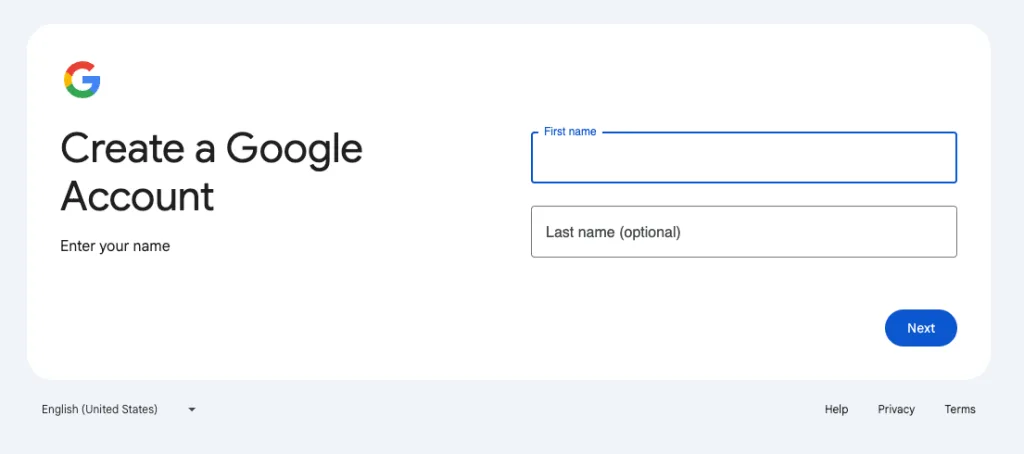
2. Apply for a Google Developer Account and Pay the Registration Fee
- After logging into your Gmail account, visit the Google Play Developer registration page (https://play.google.com/console/signup) and click “Start Registration.”
- Fill in developer information: Select “Individual” as the account type (no business license required, unlike organizational accounts). Enter your full name, backup contact email (unrelated to Gmail), and a new phone number—ensure all information is authentic and traceable.
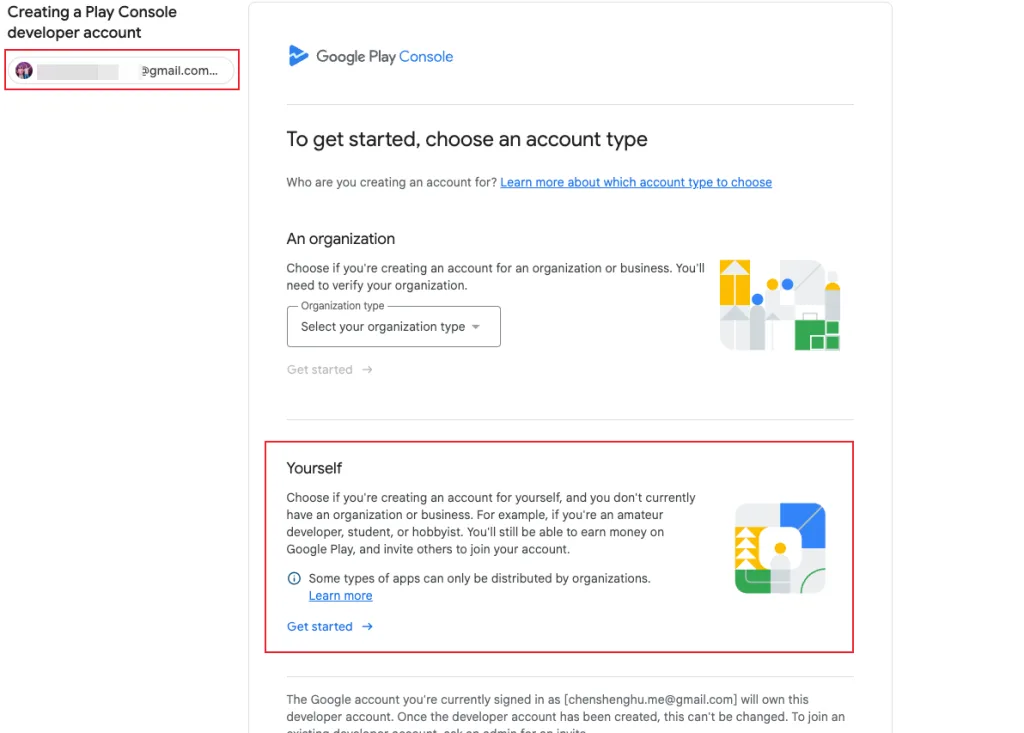
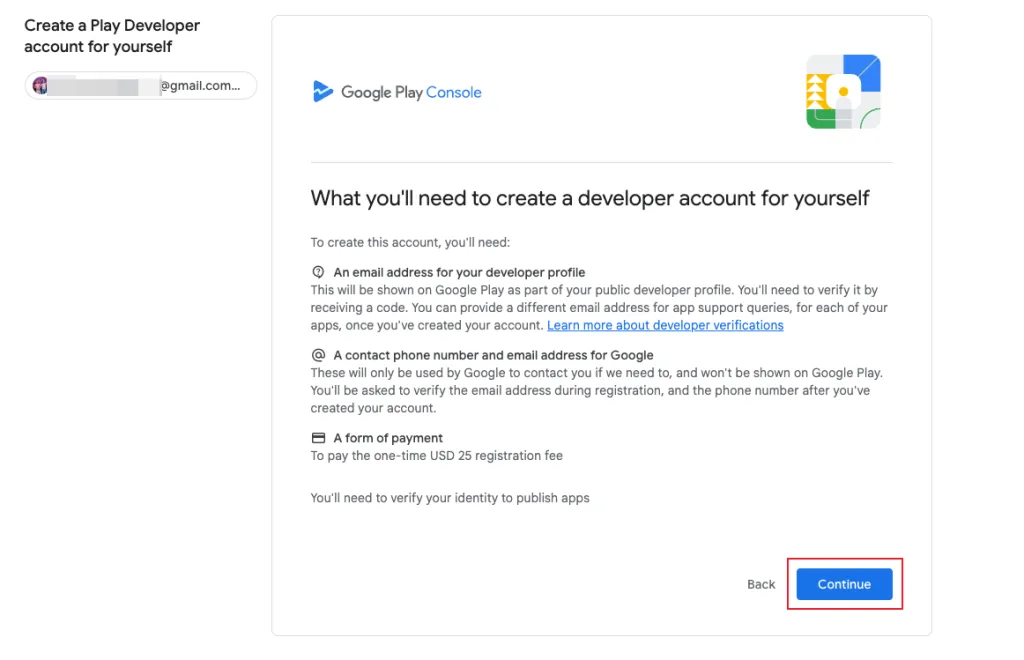
- Select developer type and proceed. The page will display requirements:
- An email address for your developer profile (publicly visible on Google Play, requires verification)
- A contact phone number and email address for Google (private, used only for official communication)
- A payment method for the one-time $25 registration fee
- Identity verification documents to publish apps
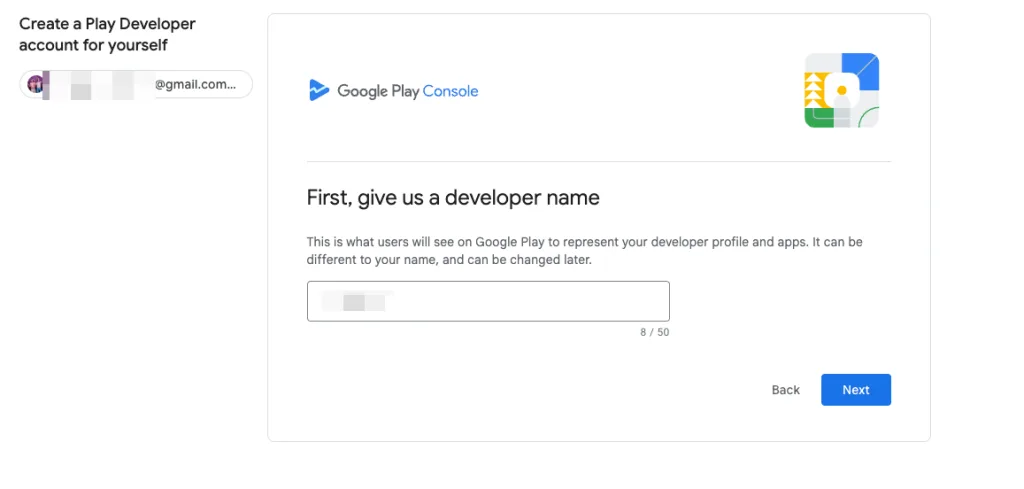
- Set a developer name.
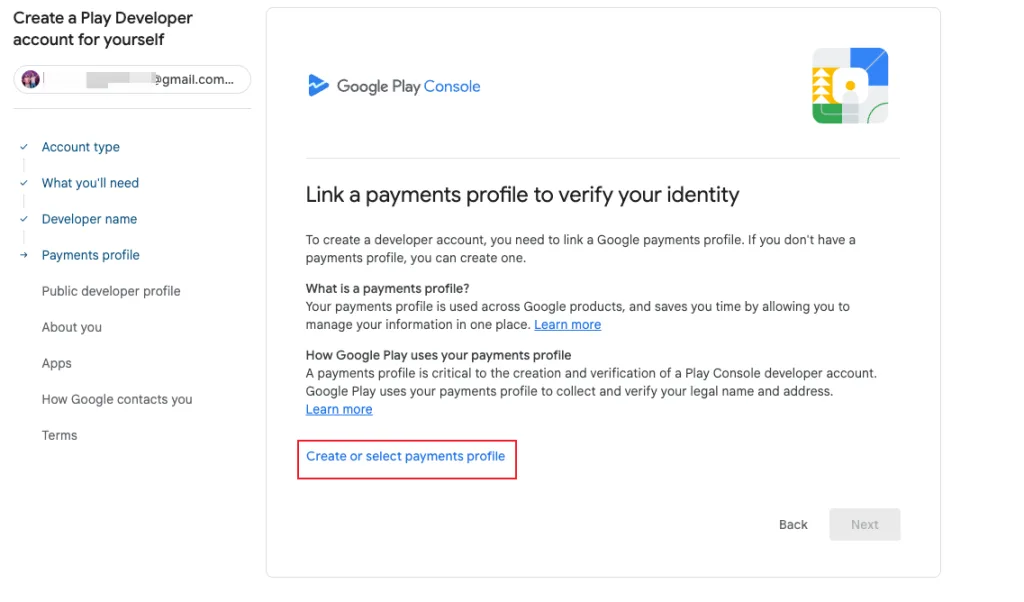
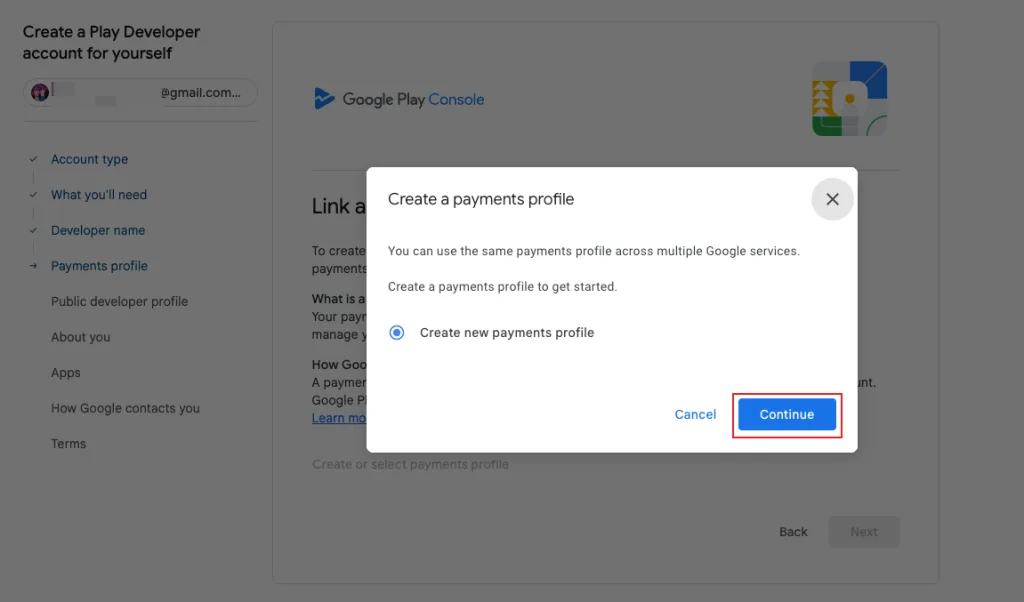
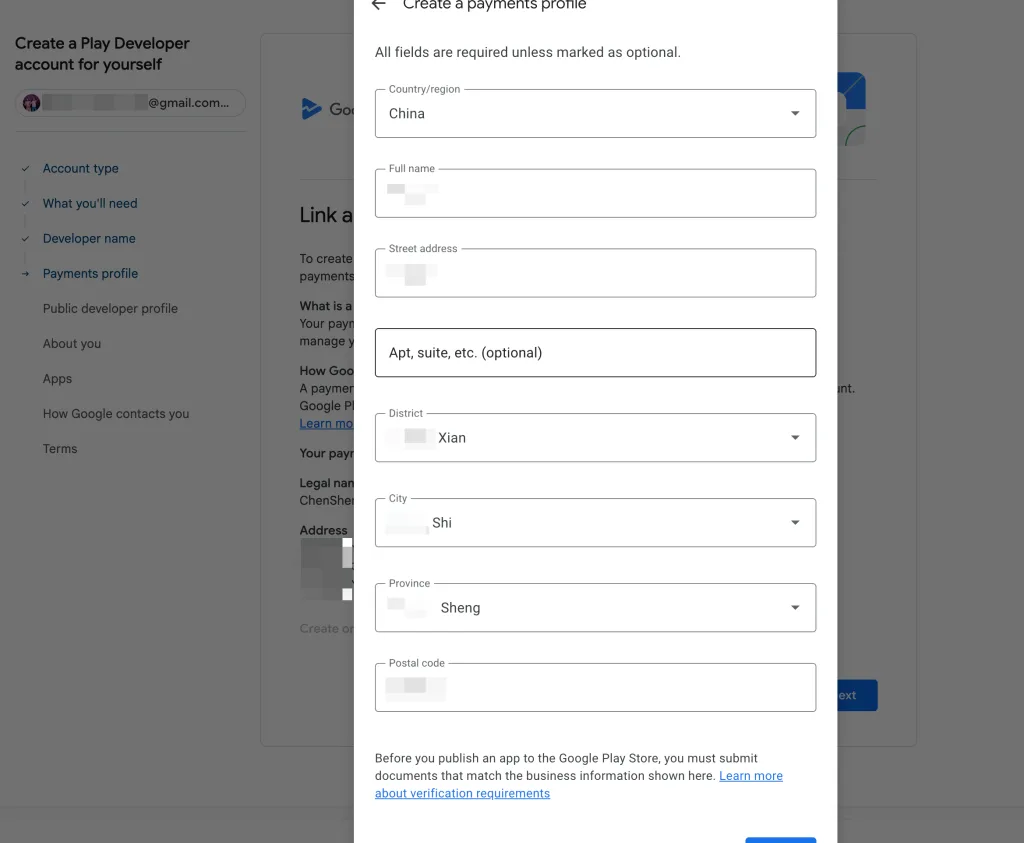
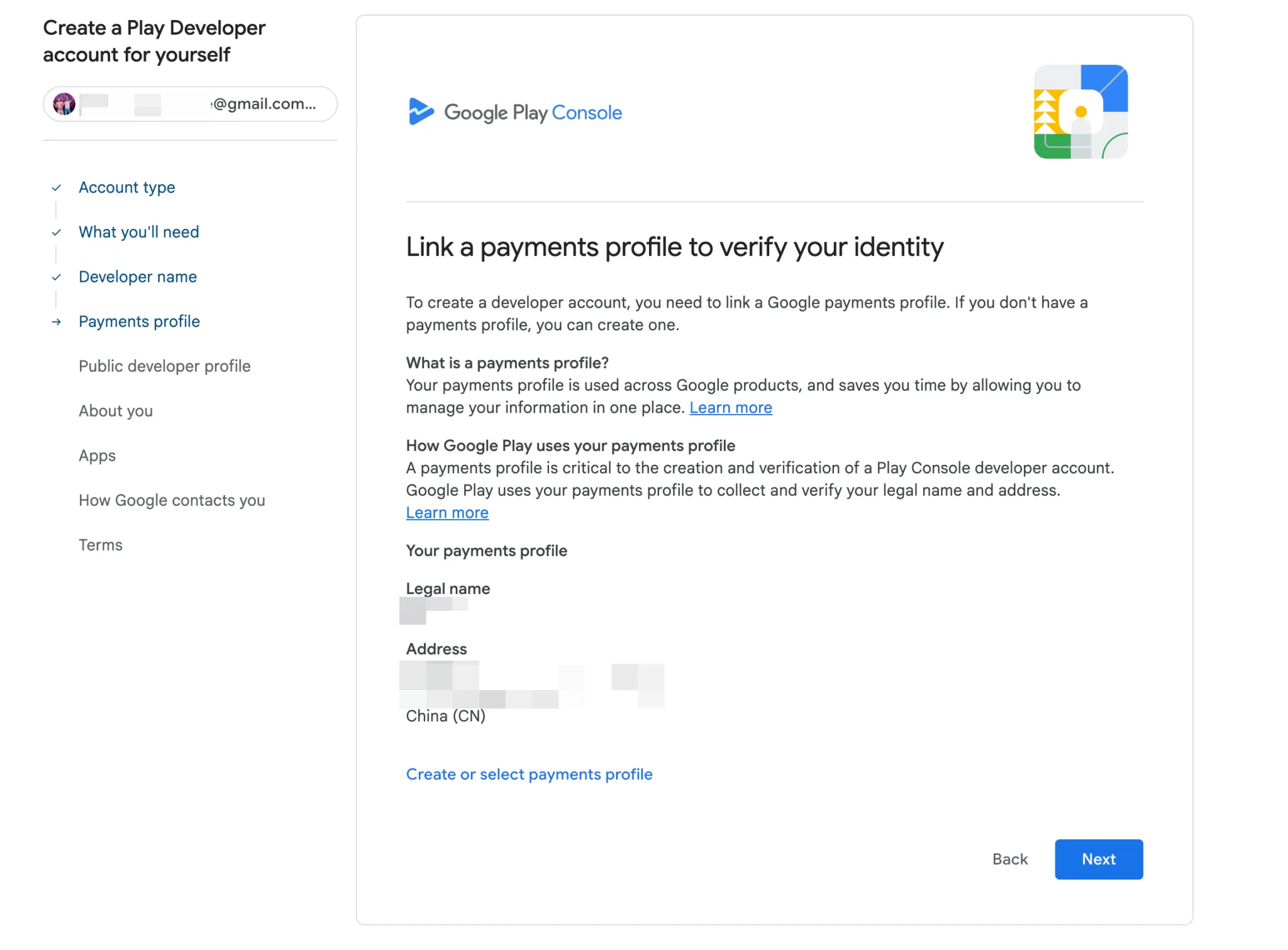
- Next, create payment details (required for new accounts with no existing payment methods). Enter payment information using real details, including:
- Country/region
- Full legal name
- Street address, city, province, postal code
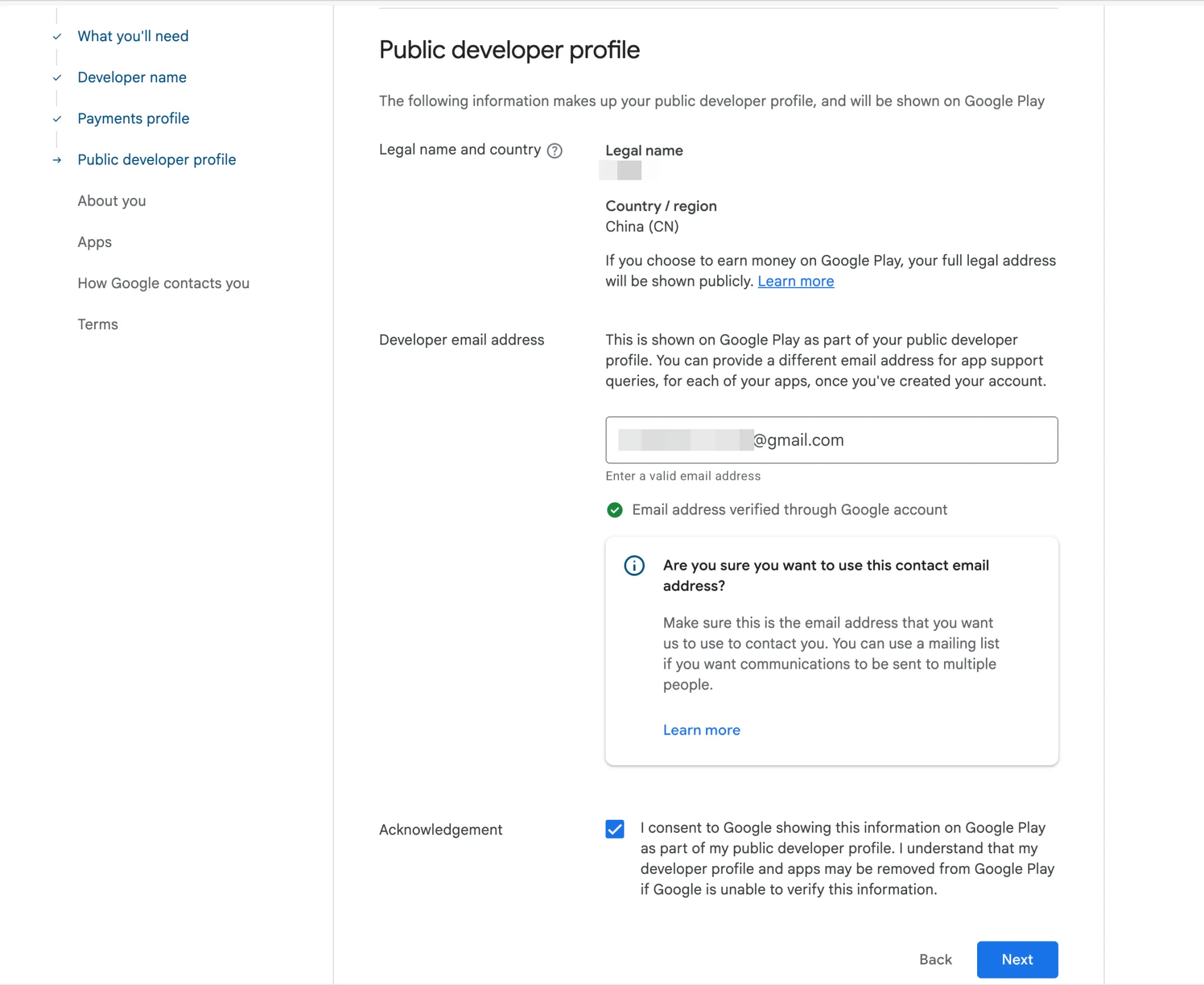
- Complete public profile information: Confirm your legal name, country/region, and developer email (publicly visible on Google Play). Check the acknowledgment box to consent to public display of this information.
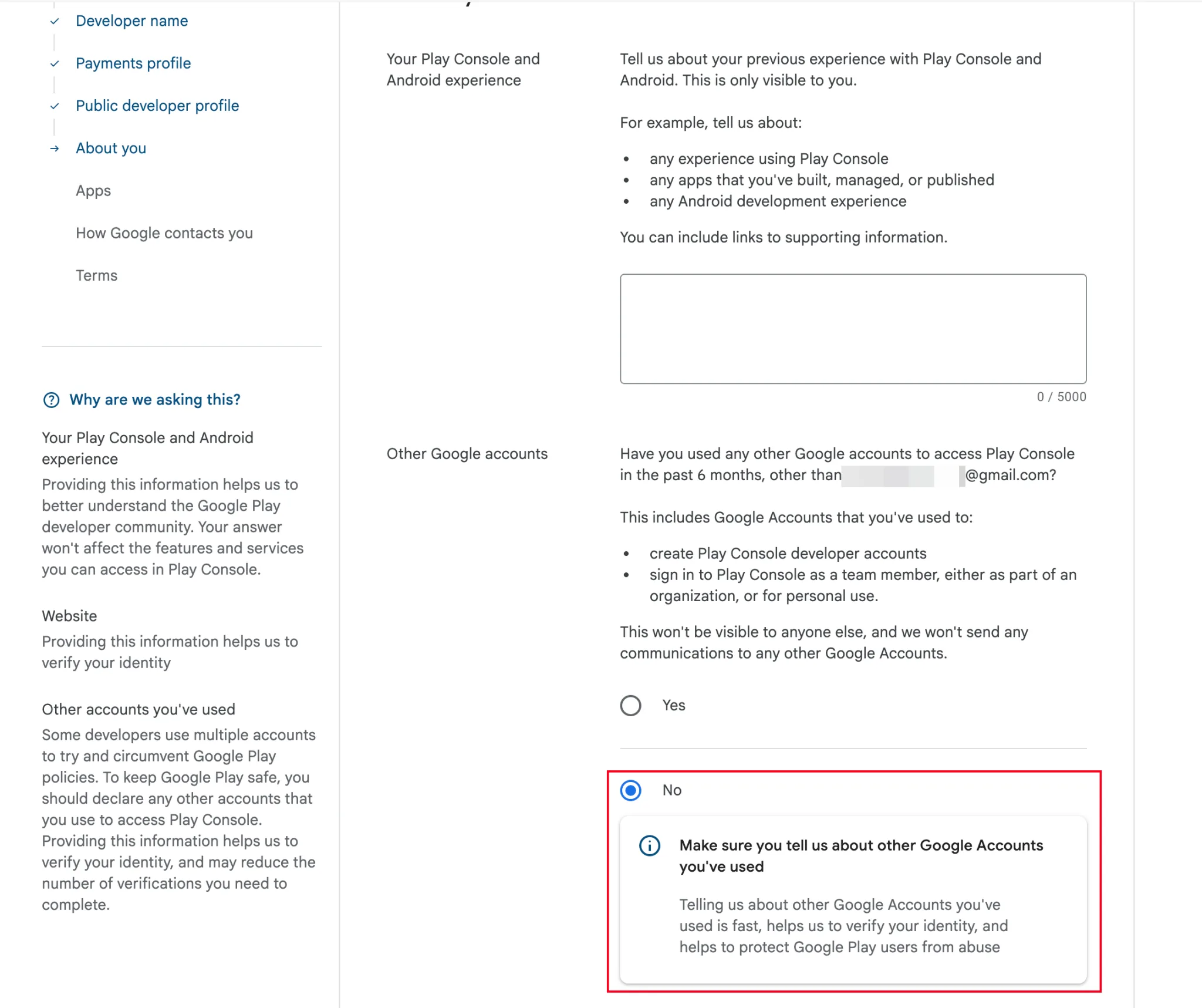
- Proceed to fill in additional information as prompted:
- Website (optional, helps with identity verification)
- Previous experience with Play Console and Android development (optional, 0/5000 character limit)
- Disclosure of other Google accounts used to access Play Console in the past 6 months
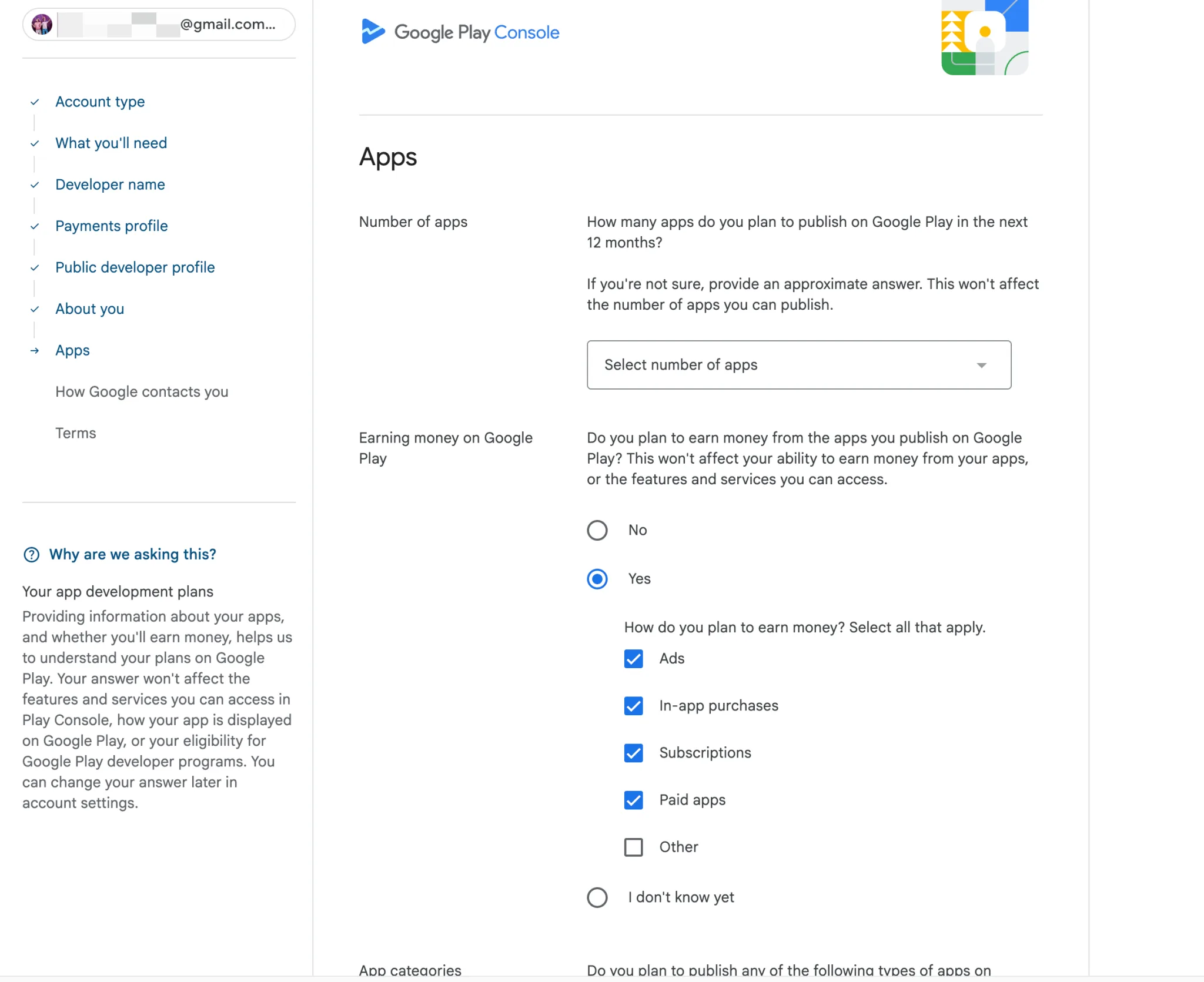
- Estimated number of apps to publish in the next 12 months
- Monetization plans (e.g., ads, in-app purchases, subscriptions, paid apps)
- Intended app categories (as listed in the console)
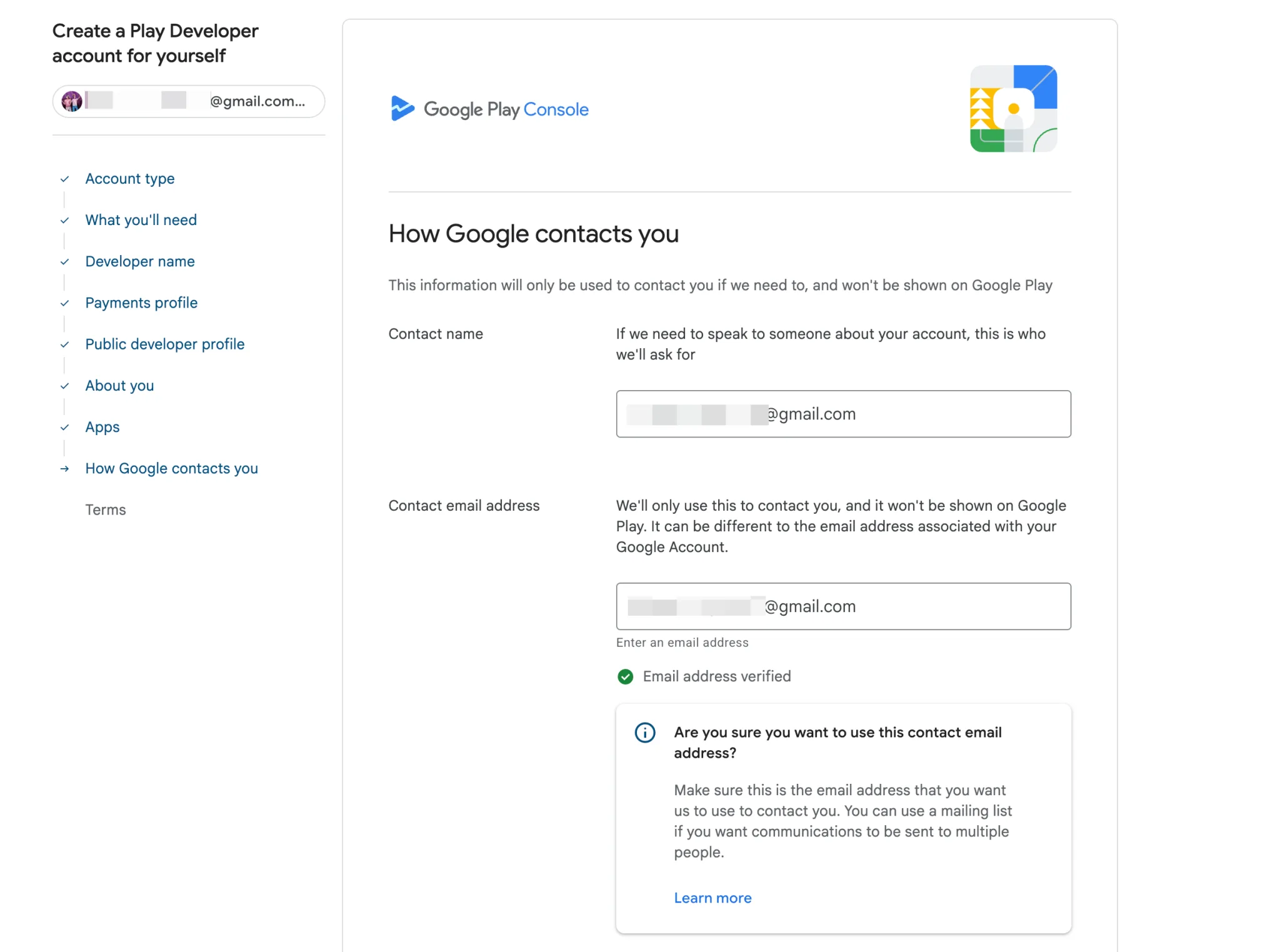
- Complete contact information for Google’s internal use (not publicly visible): Enter a contact name and email address (may differ from your Google Account email).
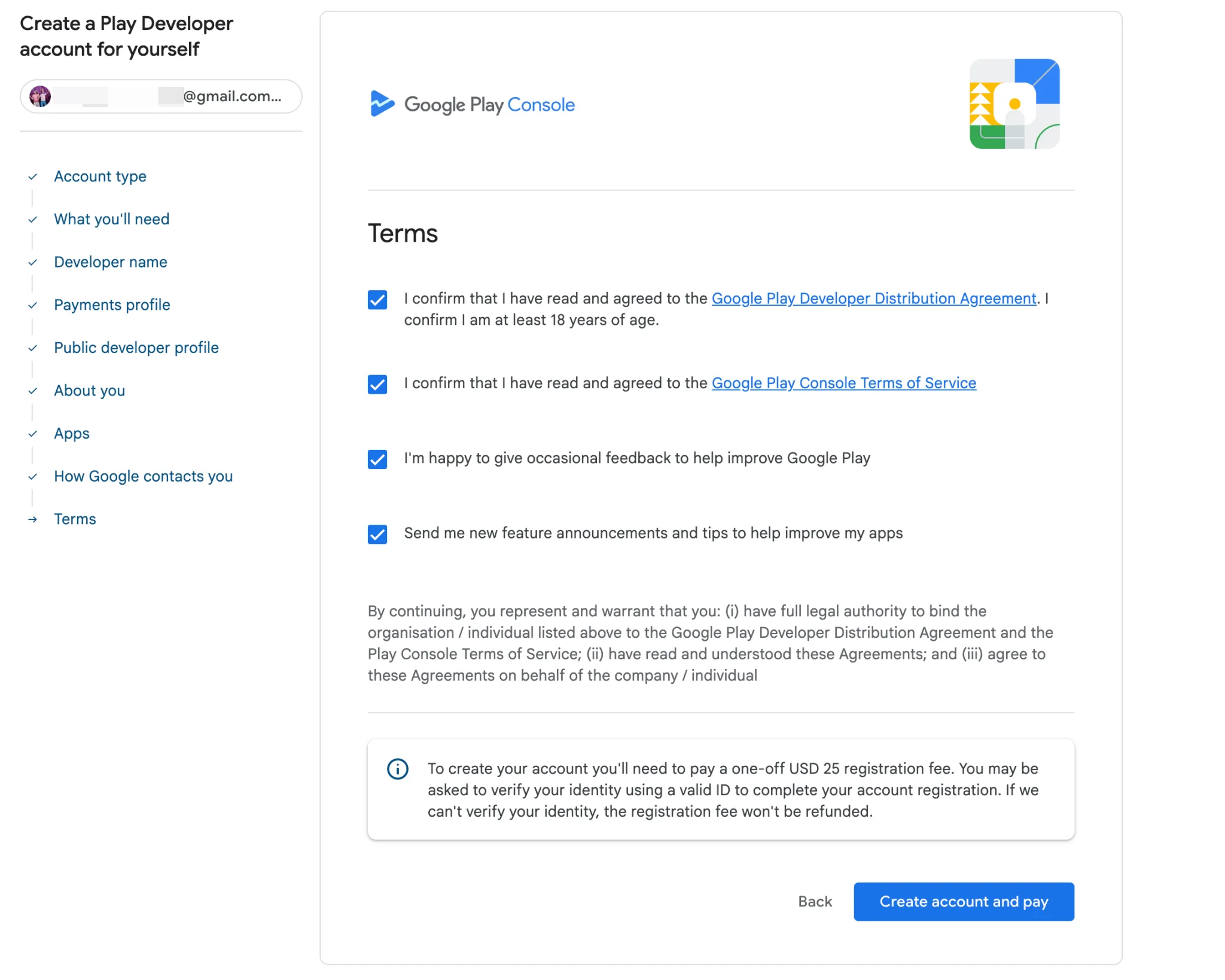
- Create your Play Console account. After clicking “Create,” you’ll be directed to the payment page to pay the $25 one-time registration fee (lifetime validity, no renewal required). Enter your credit card details (card number, expiration date, CVV) and confirm payment. Read and agree to the Google Play Developer Distribution Agreement, and confirm you are at least 18 years of age.
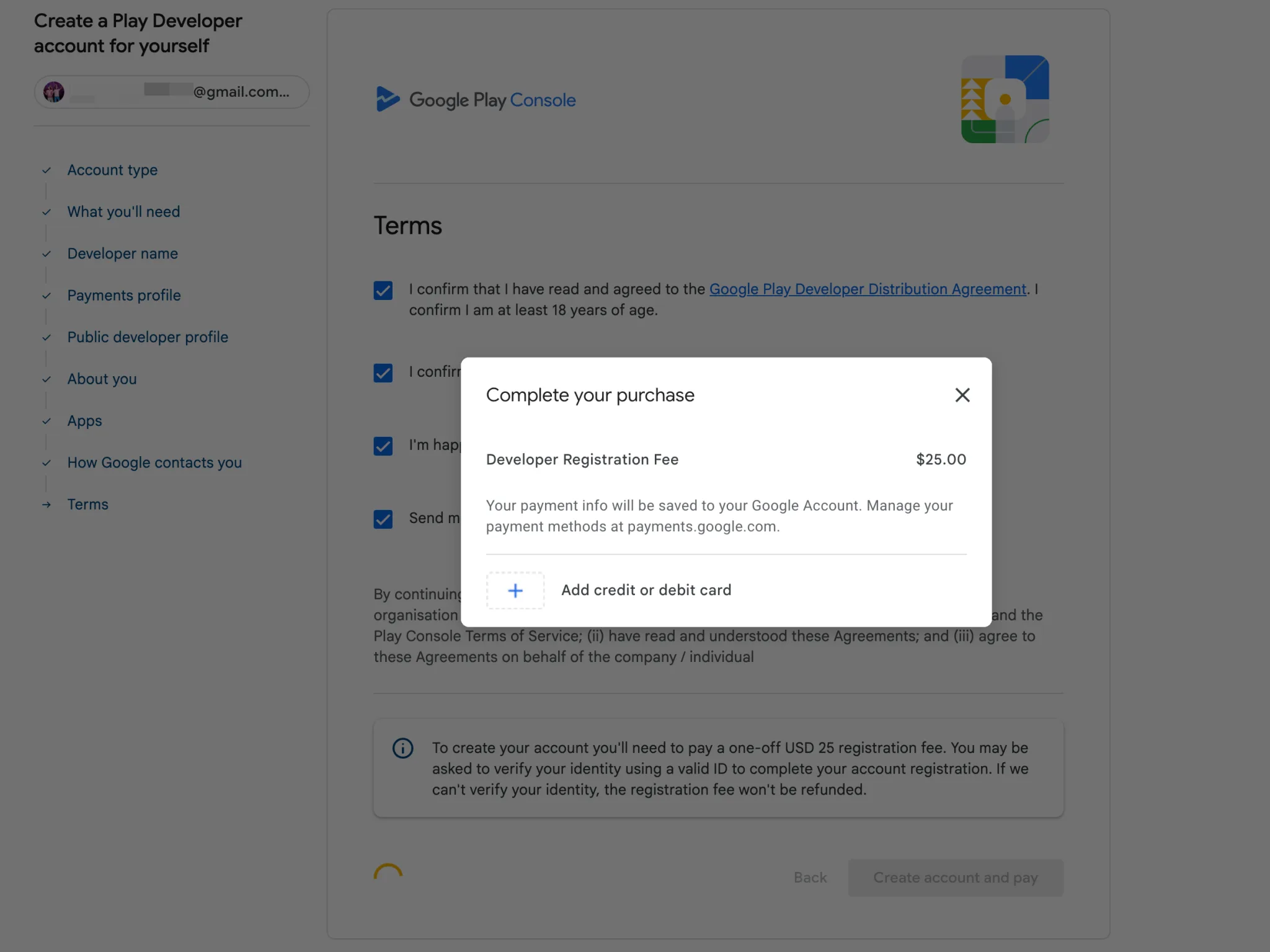
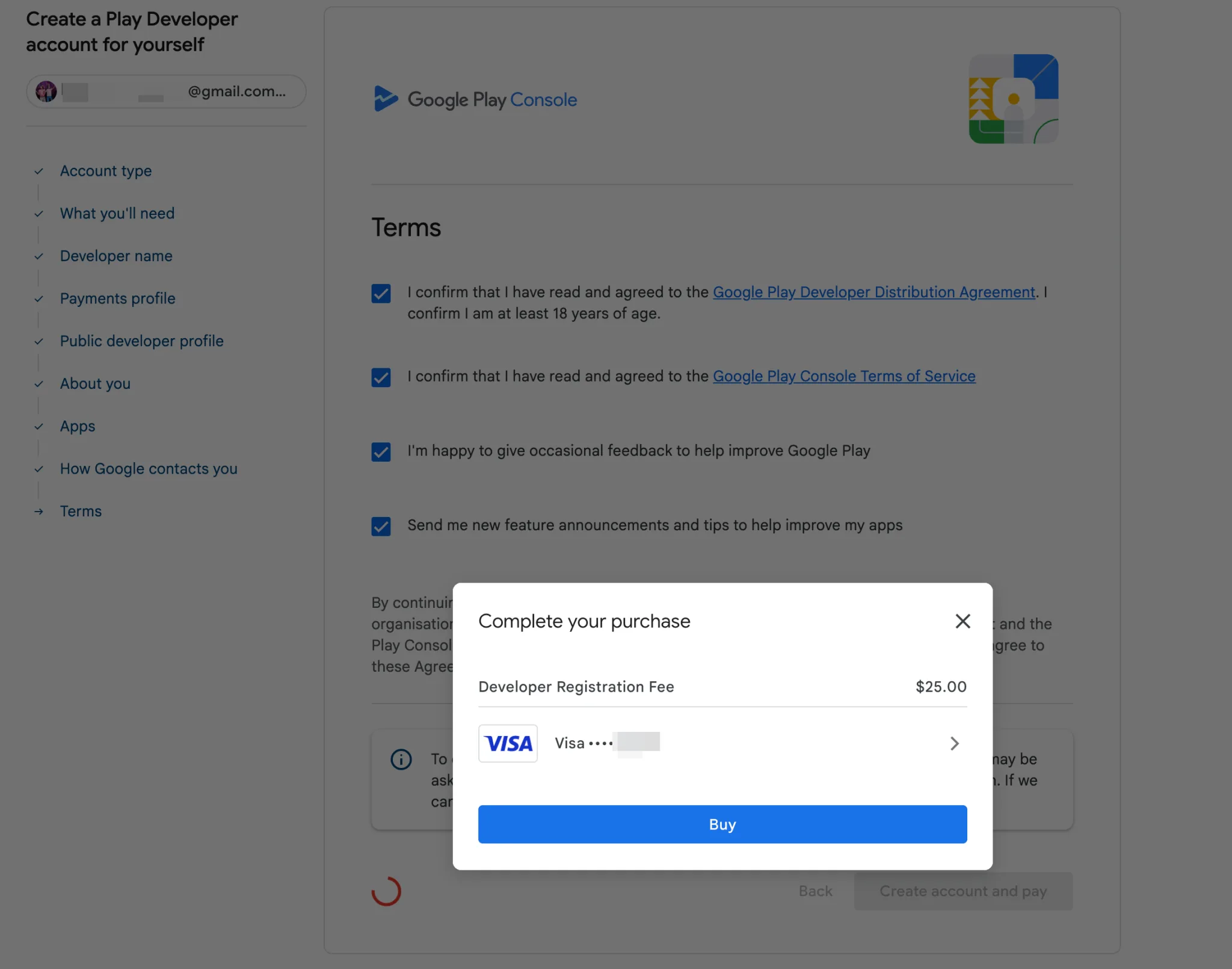
- If no payment card is on file, add one first, then click “Buy” to complete the transaction.
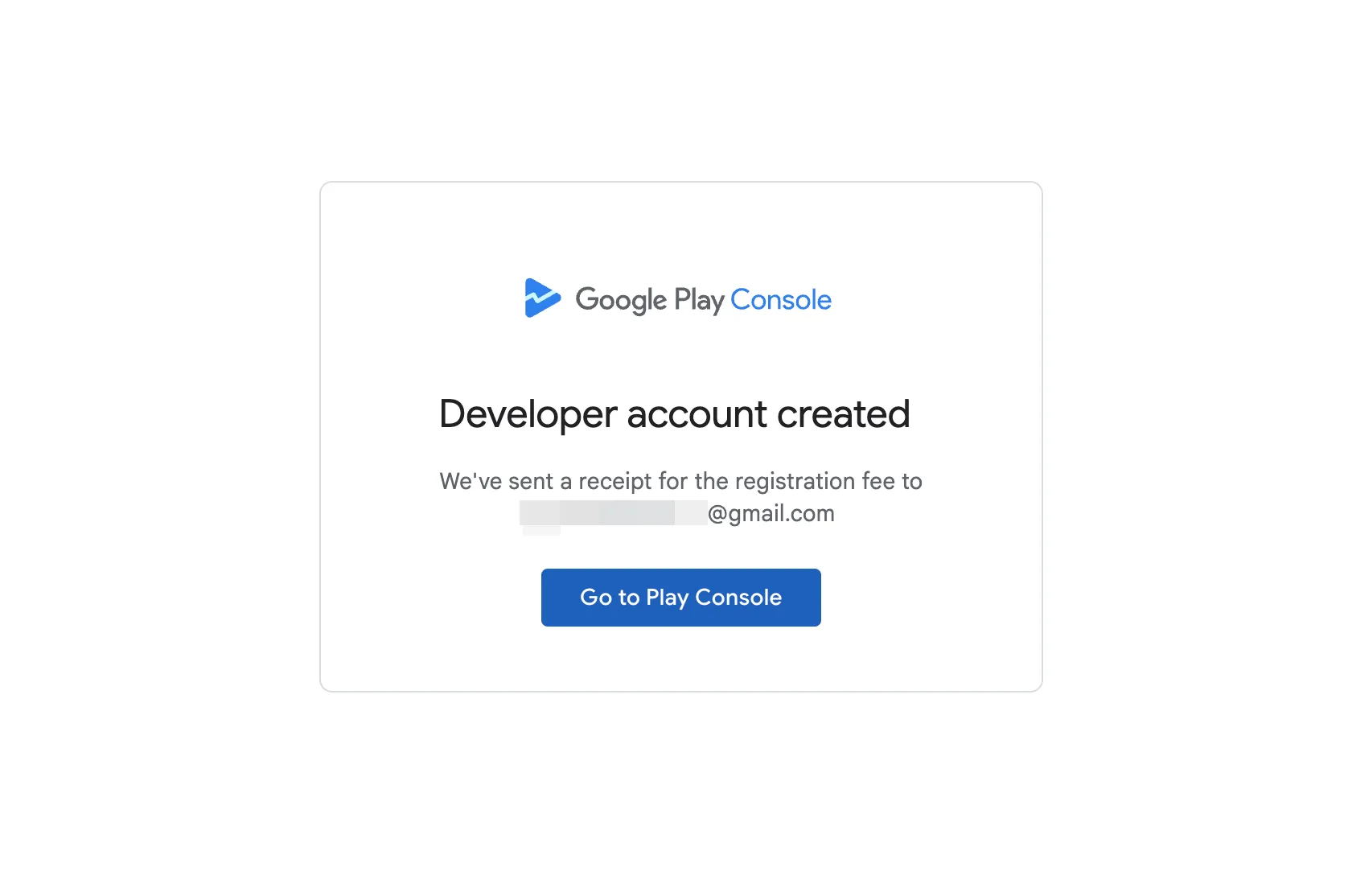
- Upon successful payment, you’ll be redirected to a confirmation page, and a verification email will be sent to your Gmail. Click the link in the email to activate your Developer account and access Google Play Console (the developer dashboard).
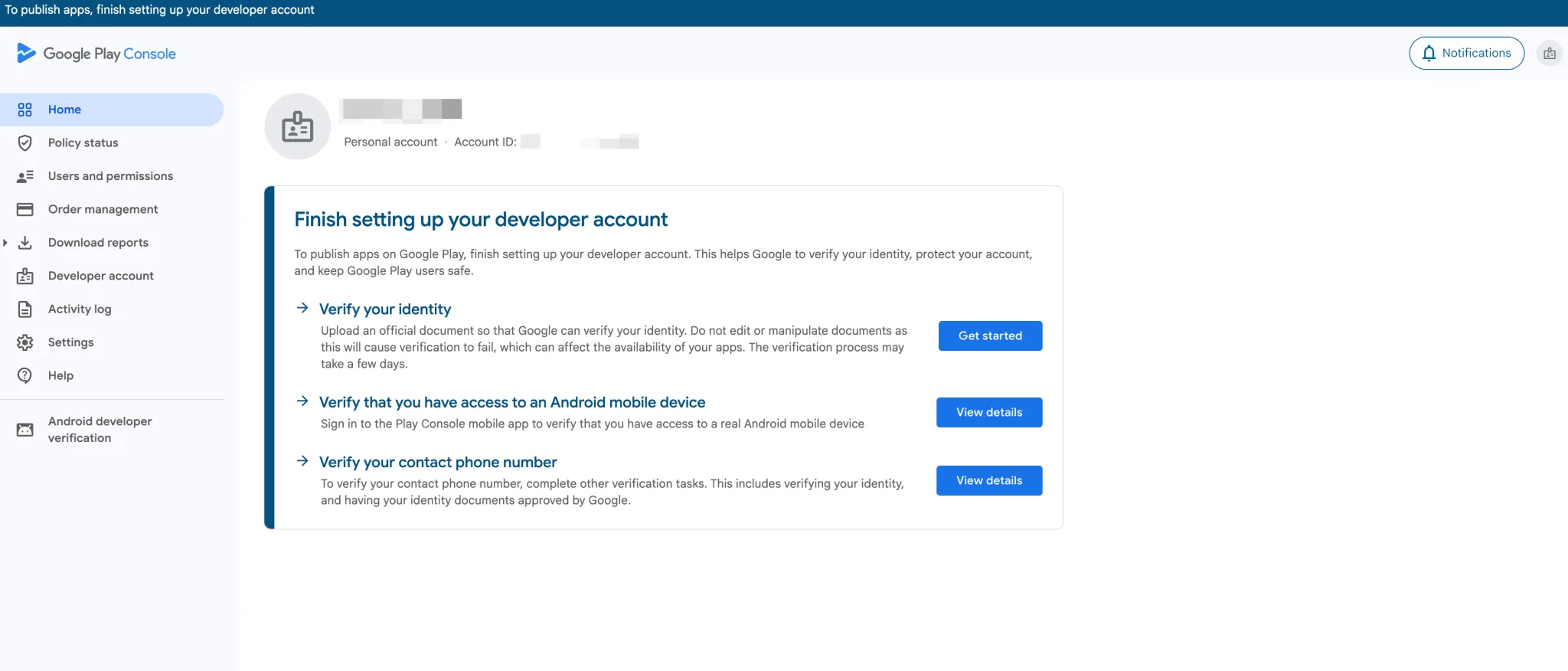
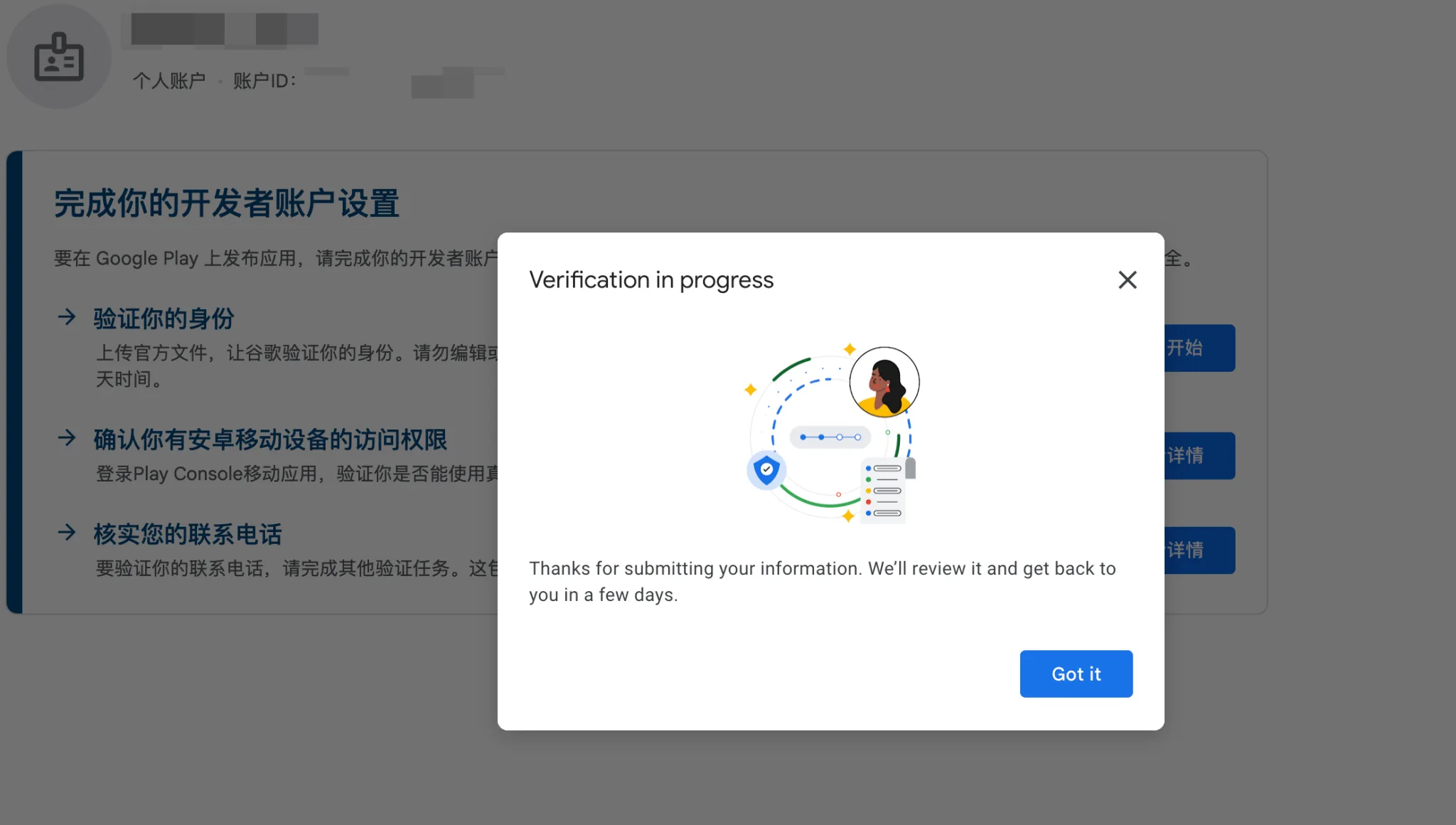
- After payment, access the homepage and complete identity verification. You’ll see prompts to:
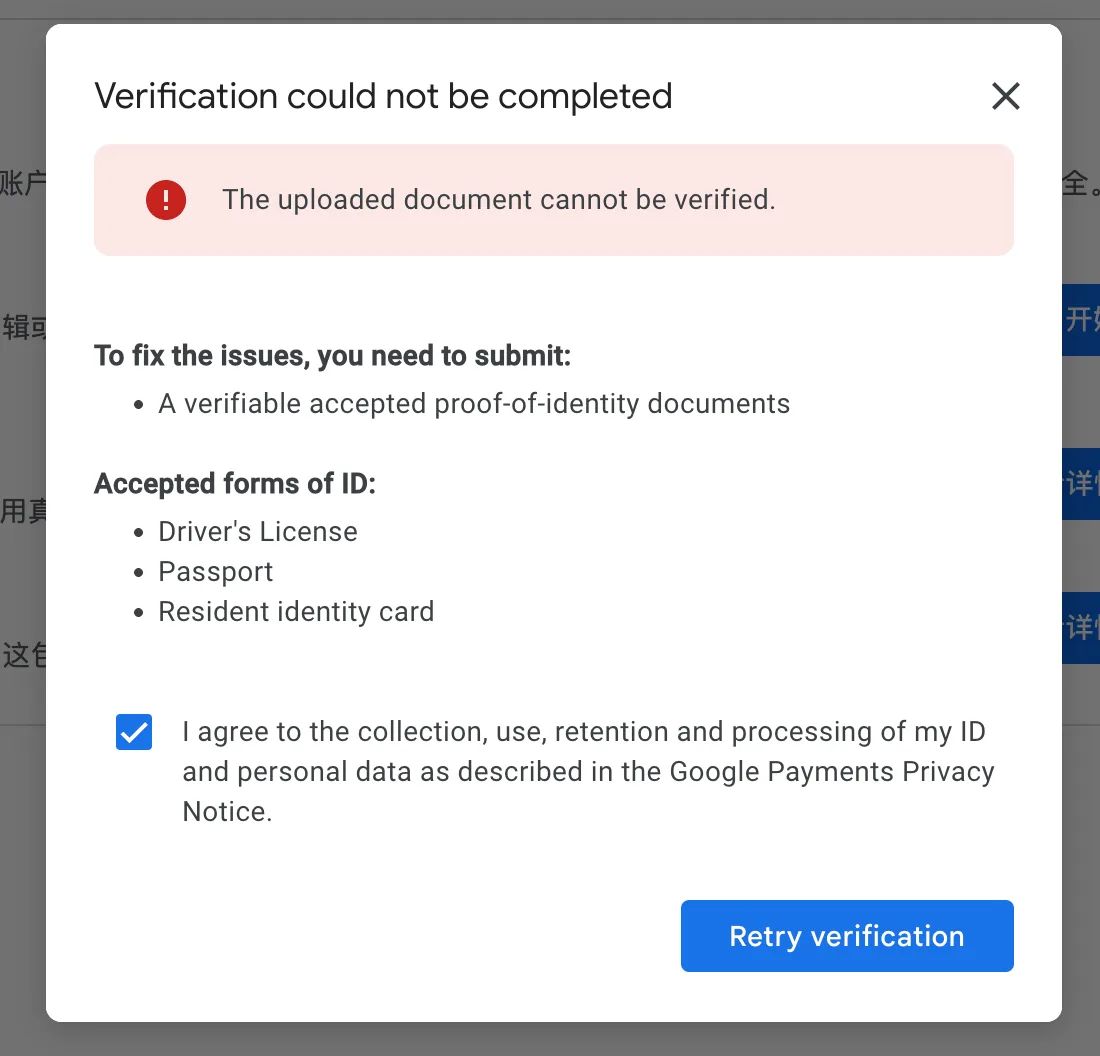
- Upload official documents to verify your identity (accepted documents: driver’s license, passport, resident identity card)
- Verify access to an Android mobile device (via the Play Console mobile app)
- Verify your contact phone number (after completing identity verification)
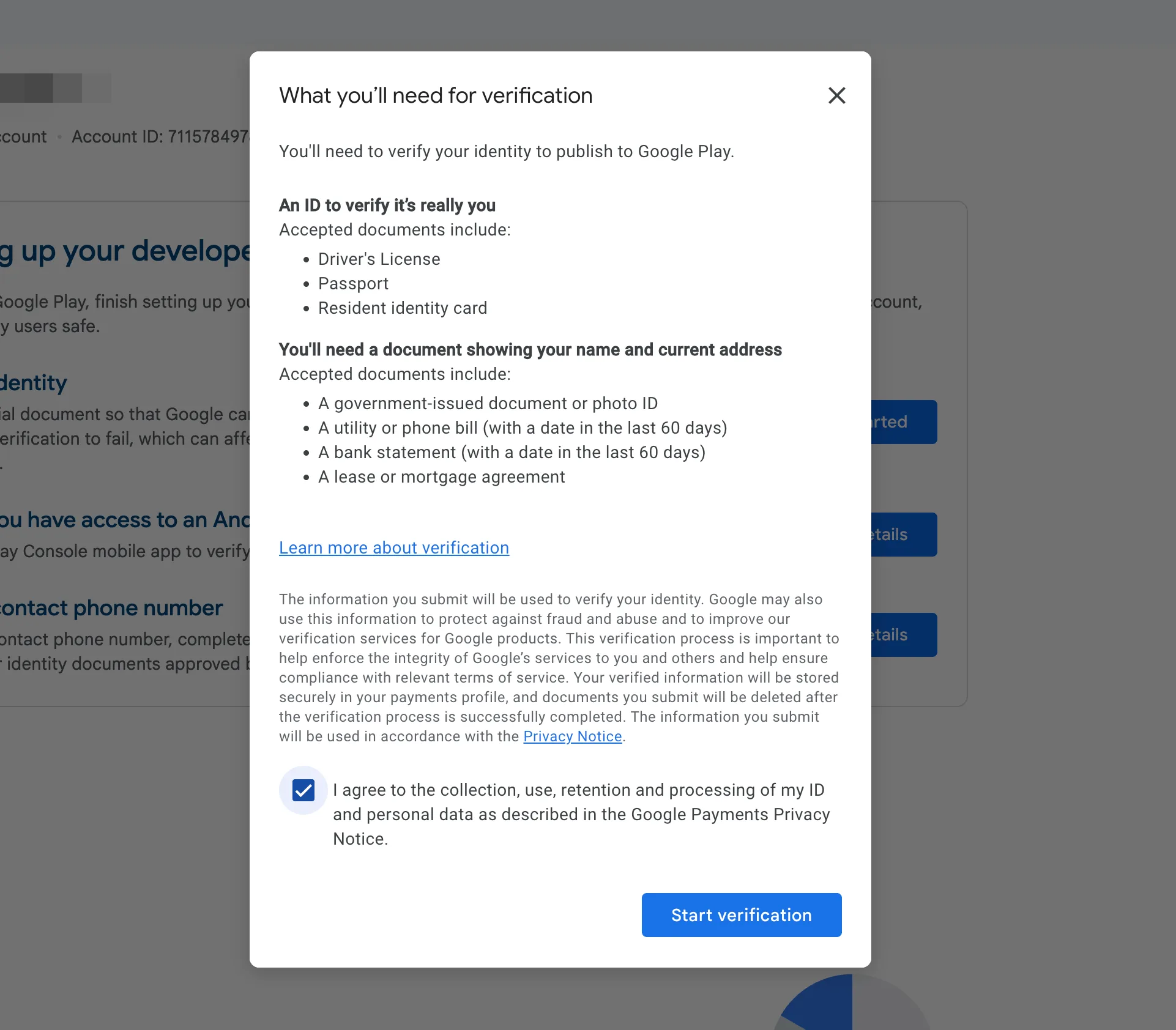
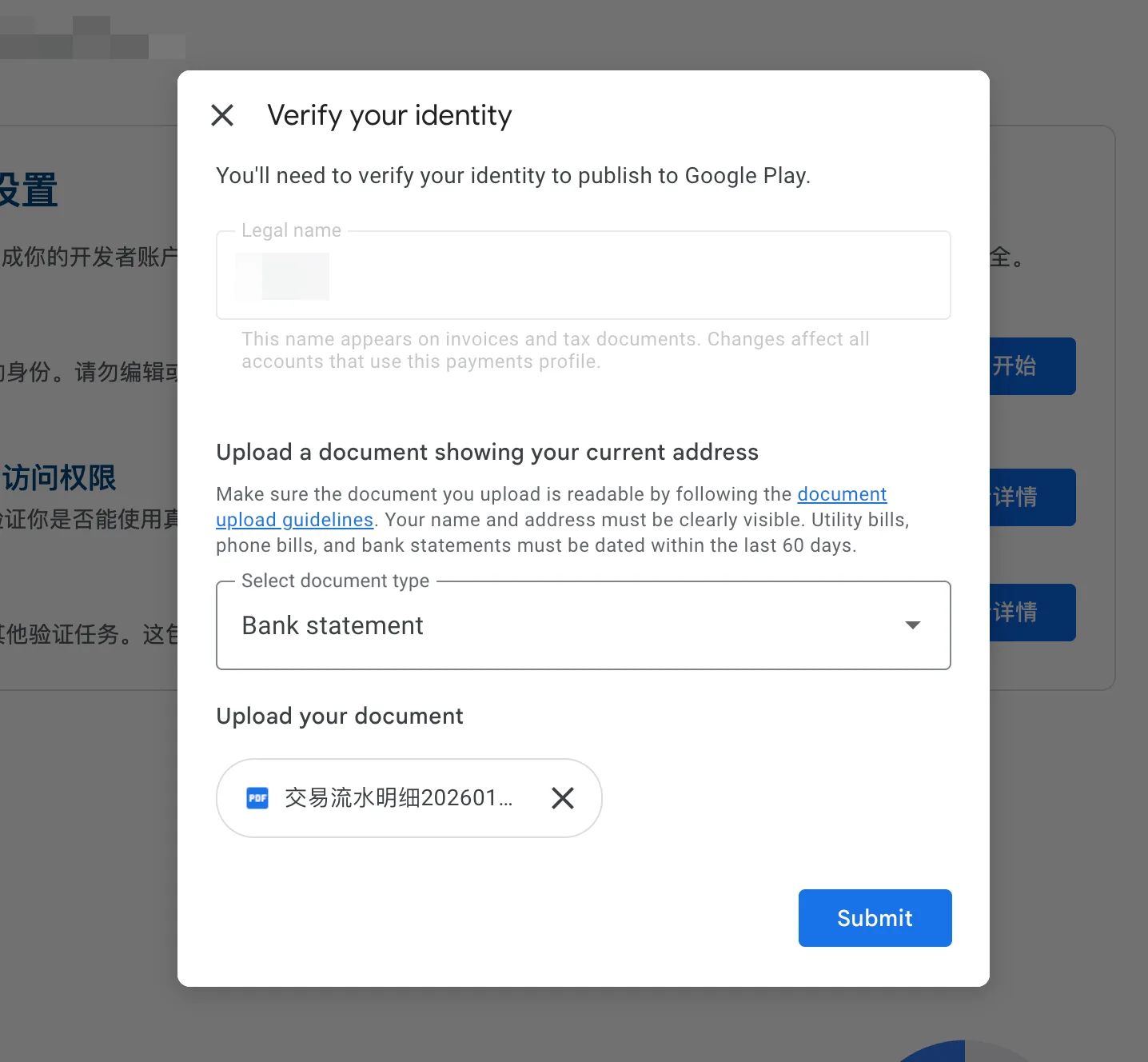
- Note: I initially encountered repeated verification failures using a combination of ID card and passport. Successful verification was achieved by submitting bank transaction records exported from my frequently used bank card.
- Upload a document showing your current address (accepted types: government-issued ID, utility bill/phone bill within 60 days, bank statement within 60 days, lease/mortgage agreement). For bank statements, ensure the document is readable, with your name and address clearly visible.
- Verification results typically take approximately 24 hours. You’ll see a “Verification in progress” status during this period.
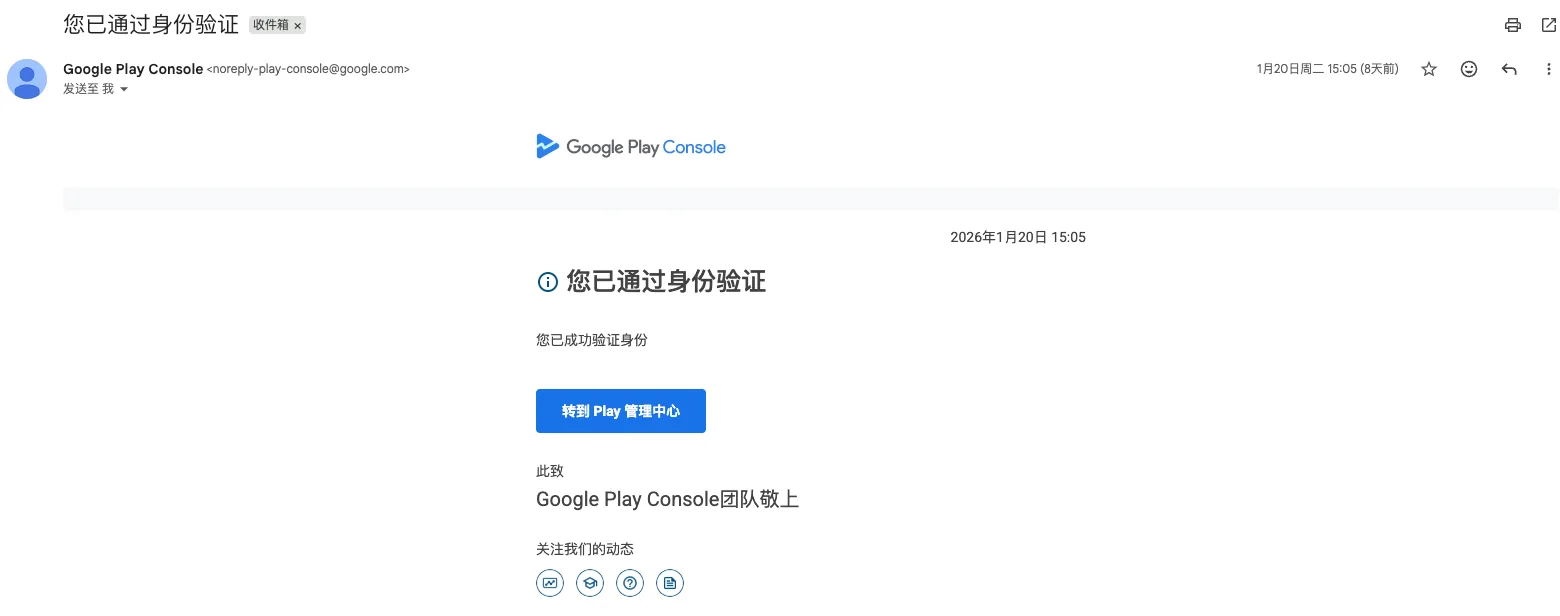
- You’ll receive a confirmation email once approved, with the subject line “Your identity has been verified.”
- Important: If the page fails to load during registration, do not resubmit immediately. First check your network connection, clear browser cache, and try logging in again to avoid triggering account risk controls due to duplicate submissions.
III. Google Play Console Setup: Create Your App
After accessing Google Play Console, complete app creation, store listing configuration, content rating setup, and other tasks. Ensure all information complies with Google Play policies to avoid rejection during review.
1. Create an App and Select Basic Attributes
- Log into Google Play Console, navigate to “All Apps” in the left sidebar, and click “Create App.”
- Fill in basic app information:
- Select a default language (recommended to match your target market, e.g., English, Chinese).
- Enter an app display name (editable later; align with app functionality and incorporate core keywords to enhance ASO performance).
- Choose the app type (App/Game) and pricing model (Free/Paid)—note that free apps cannot be switched to paid after publication.
- Enter a contact email.
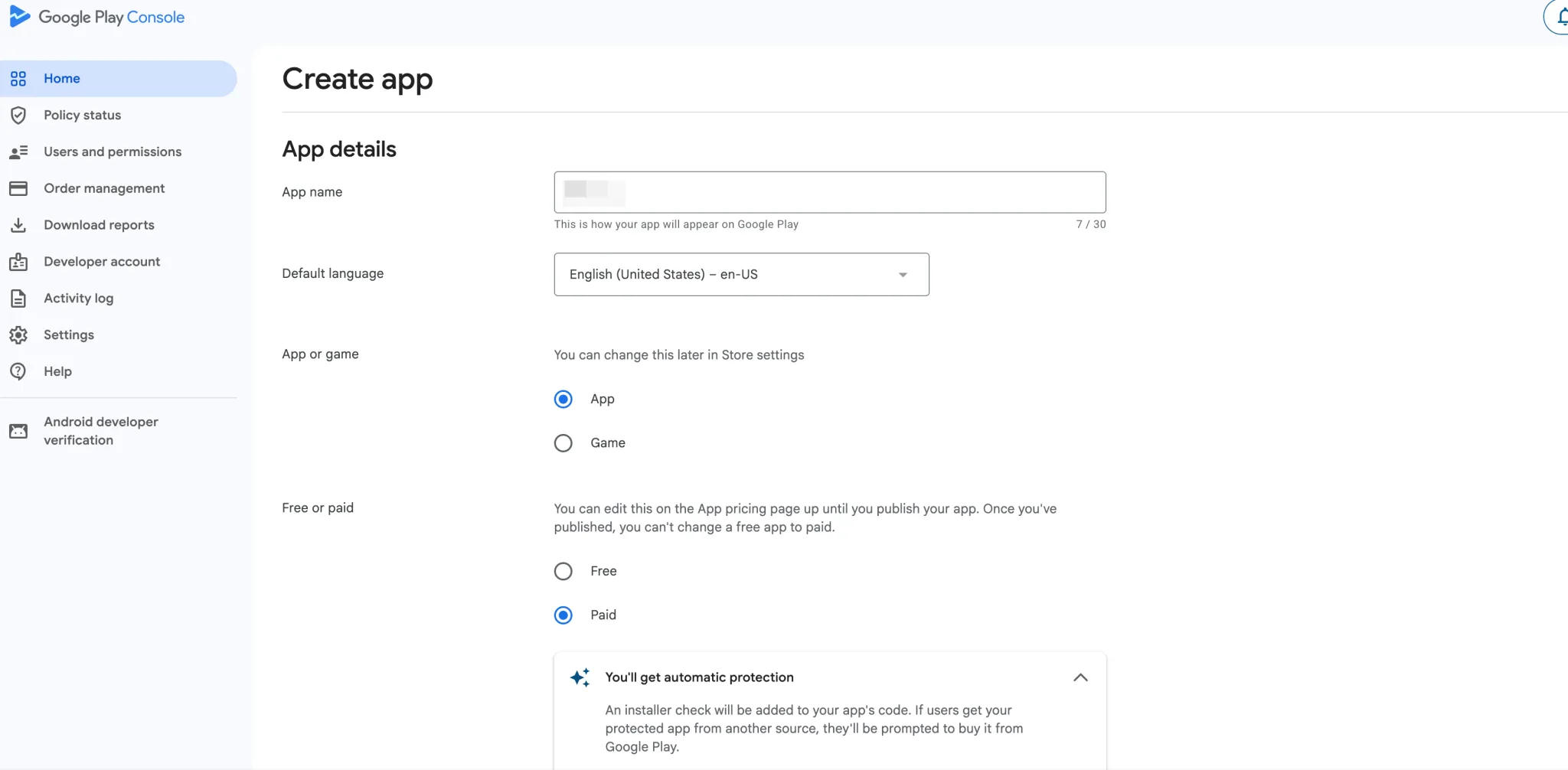
- Check the declaration boxes, confirm acceptance of the “Play App Signing Terms of Service” (Play App Signing is recommended—Google manages your signing key to prevent app update failures due to key loss), and click “Create App.”
- After creation, you’ll be directed to the Play Console dashboard, where you can start with internal testing, complete app setup, run closed tests, and apply for production access.
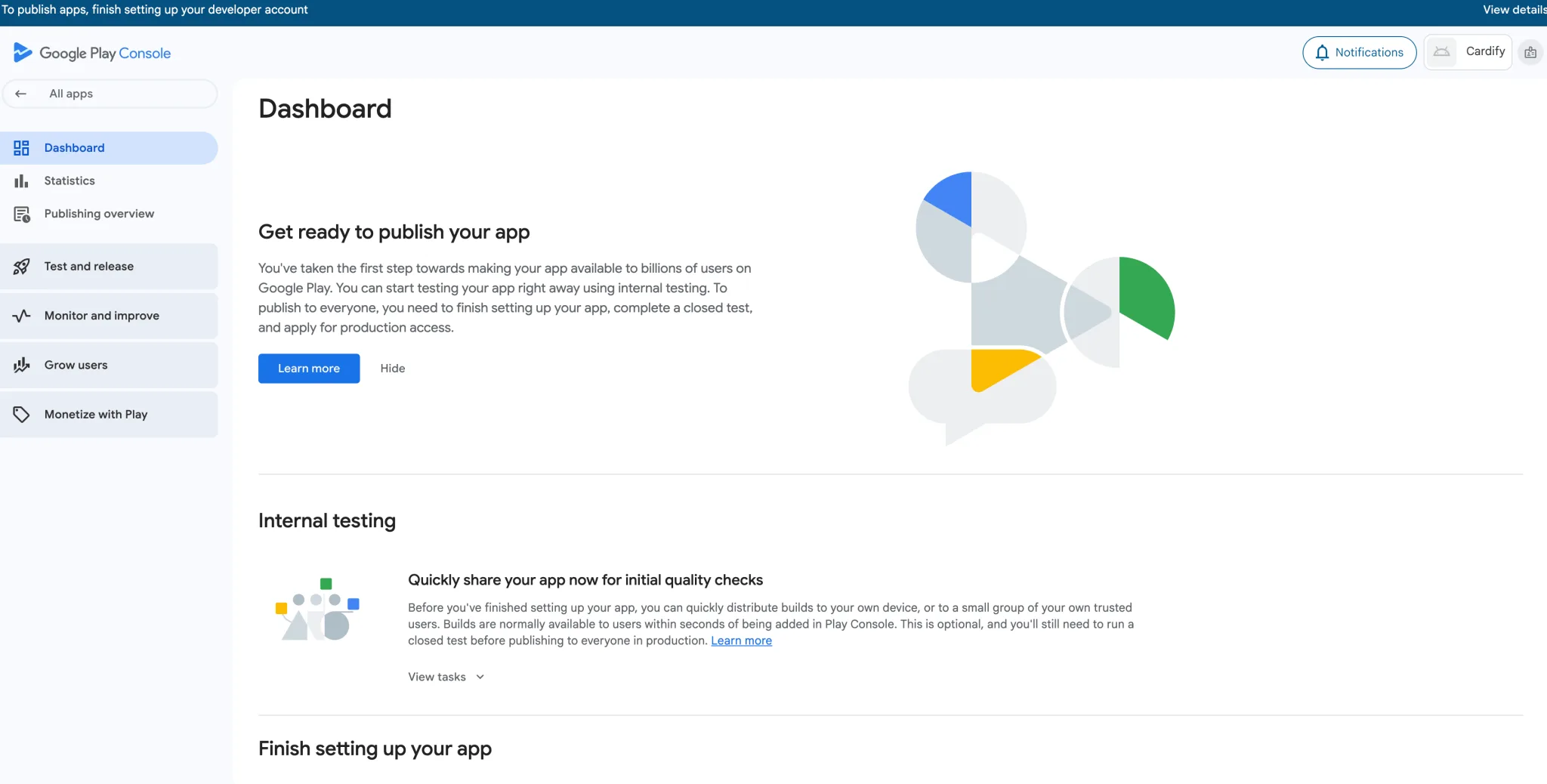
At this point, you’ve completed the entire process of registering a Google Play account and creating an app.
V. Avoiding Review Pitfalls and Account Maintenance (Key Compliance Guidelines)
A Google Play account for individual developers is valuable—permanent suspension due to violations is irreversible. Strictly adhere to platform policies to avoid review rejection, and maintain regular account upkeep for long-term stable operation.
1. Common Reasons for Review Rejection and Mitigation Strategies
- Privacy Policy Issues: Missing privacy policy link, invalid link, or incomplete content. Mitigation: Ensure the privacy policy includes clauses on data collection, usage, storage, and sharing; maintain a permanently valid link; and add a privacy policy access point within the app.
- Mismatched App and Description: Significant discrepancies between actual functionality and store listing details/screenshots. Mitigation: Ensure materials and descriptions truthfully reflect app features—avoid exaggeration or fabricated highlights.
- Inadequate API Level: Failure to meet the minimum target API level requirement (35 or higher). Mitigation: Adapt to the latest Android version during development and verify the API level before upload.
- Intellectual Property Infringement: Unauthorized use of icons, images, or names. Mitigation: Use original materials or obtain legal authorization; avoid mimicking UI designs of well-known apps.
2. Key Account Maintenance Practices
- Prevent Account Association: Continue using the same device, network, and browser from registration. Do not share credit cards, phone numbers, or email addresses across accounts.
- Respond Promptly to Review Feedback: If rejected, check the detailed reason in your Gmail, make targeted revisions, and resubmit—avoid frequent duplicate submissions.
- Continuously Optimize the App: Regularly fix bugs, update features, keep the API level aligned with Google’s latest requirements, and actively respond to user reviews to improve app ratings (impacts ASO ranking and user trust).
- Stay Updated on Policy Changes: Google Play policies evolve dynamically. Regularly check announcements in Play Console and emails to ensure ongoing compliance.
VI. Summary: Core Checklist for Individual Developers Launching on Google Play
The key to success for individual developers on Google Play is “compliance first, attention to detail.” From environment isolation and document preparation to account registration and app listing, every step must adhere to policies. Incorporate ASO best practices to optimize store listings and boost app visibility. Keep the following core checklist in mind to significantly increase registration and listing success rates:
| Category | Core Checkpoints |
|---|---|
| Environment & Materials | Independent device/network, new Gmail account, compliant credit card, authentic information, valid privacy policy link |
| Technical Requirements | AAB format app bundle, target API level ≥35, 64-bit support, compliant signing |
| Policy Compliance | Complete privacy policy, reasonable permission declarations, no infringing content, authentic materials |
| Listing Configuration | Optimized store listing, accurate content rating, clear release scope |
By following this guide, individual developers can successfully set up a Google Play account and create an app. Stay tuned for future content covering the full process from app creation to listing. If you encounter issues during registration or review, feel free to leave a comment. Additional insights on Google Play ASO optimization and account operation will be shared to support your global growth journey.


